Districts
District information panel
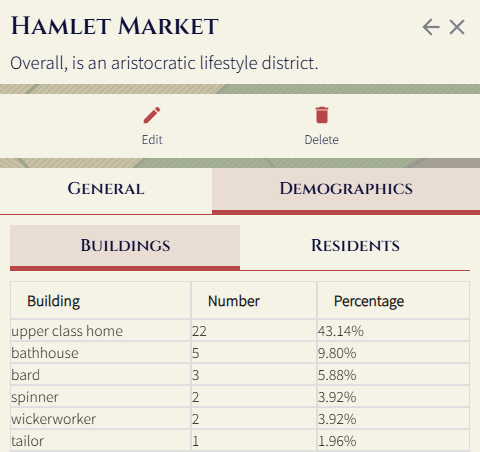
The district information panel is the main way to interact with districts. Here, you can see an overall description of a district, as well as the demographics of the district.
The district information panel can be accessed by clicking on a district when in the district later on the map, or by clicking on a district from the districts panel (accessible from the button above the settlement name).
District actions
Edit
See the dedicated Edit district page.
Delete
Deleting a district will just remove the district metadata - the buildings and people inside will remain.
Demographics
In the demographics view you can see the number of each building type, or the number of each type of residents. For example: